

Type of course:
Digital learning, Lesson
Language:
EN
Proficiency:
Intermediate
Target:
Professionals, Workers
A Virtual Local Area Network (VLAN) is a virtualized, logical grouping of devices that appear to be on the same local network, regardless of their physical location. Devices within the same VLAN can communicate as if they are connected to the same physical switch, while traffic between VLANs requires routing. VLANs are defined in the IEEE 802.1Q standard. VLANs provide logical segmentation of a physical network into multiple distinct broadcast domains. This enhances performance, security, and manageability in a network.
VLAN Tagging
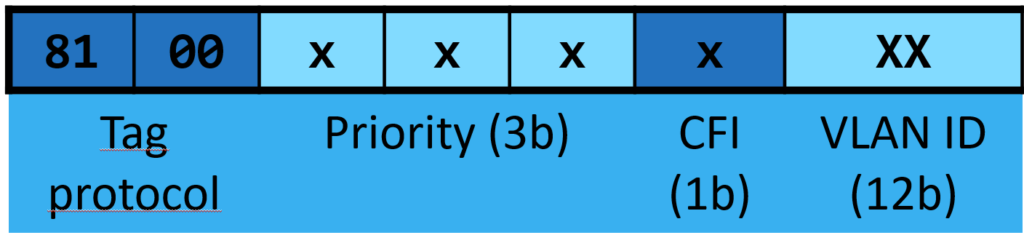
- IEEE 802.1Q introduces a mechanism for identifying and segregating traffic using VLAN tags.
- A VLAN tag is a 4-byte field inserted into the Ethernet frame header that identifies the VLAN to which the frame belongs.
- This tagging enables traffic from different VLANs to traverse the same physical link without mixing.
VLAN ID
- Each VLAN is assigned a unique identifier called a VLAN ID.
- The VLAN ID is a 12-bit field, allowing for up to 4096 VLANs (IDs 0–4095).
- VLAN ID 0: Reserved for priority tagging only.
- VLAN ID 4095: Reserved and cannot be used.
- VLAN ID 1: Default VLAN for untagged traffic in many implementations.
Tagged and Untagged Frames
- Tagged Frames: Frames with a VLAN tag that specifies their VLAN membership.
- Untagged Frames: Frames without a VLAN tag, typically assigned to the default VLAN by the receiving switch.

Trunk Links
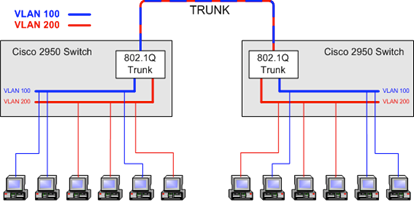
- A trunk link is a single physical connection between switches or between a switch and a router that carries traffic for multiple VLANs.
- Trunk links use 802.1Q tagging to ensure that traffic is identified and directed to the appropriate VLAN.
Access Links
- An access link is a connection between a switch and an end device (e.g., a computer) that carries traffic for only one VLAN.
- Frames on access links are untagged, as the switch tags the frames when they are transmitted to other parts of the network.
Isolation and Segmentation
- VLANs create separate broadcast domains, reducing the size of each broadcast domain and isolating traffic.
- This improves network performance and security by preventing unnecessary traffic from propagating to unrelated devices.
Inter-VLAN Routing
- Communication between VLANs requires a router or a Layer 3 switch.
- VLAN traffic is routed based on IP addresses, enabling devices in different VLANs to communicate securely.
VLAN priorities
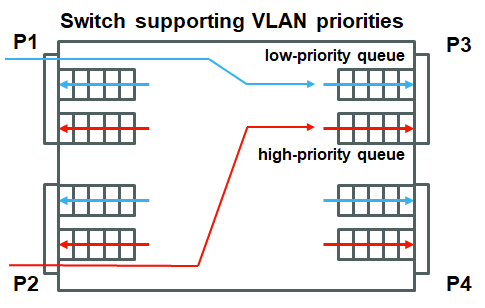
VLAN (IEEE 802.1Q) supports 7 priority levels encoded in 3 bits as shown in Figure 2. The principle of handling frames with different priorities is shown in Figure 4 and can be explained on the following example.
VLAN priorities example
There are two frames in the low-priority queue of P3 and another low-priority one is being transmitted. A high-priority frame is received at P2 and is forwarded to P3. The procedure of processing the low- and high-priority frames is as follows:
- The high-priority frame is put into the high-priority output queue of P3.
- The transmission of the low-priority frame being transmitted at P3 is finished.
- The high-priority frame is transmitted at P3
- The remaining two low-priority frames are transmitted at P3
- Both queues of P3 are empty
Course Content
Topics
Provided by
-
Czech Technical University

Related
-
 Intermediate
Augmenting Workers
By Faculty of Engineering of University of PortoThis lesson discusses technologies that enhance human capabilities in the workplace, such as exoskeletons and augmented reality, empowering workers to perform complex tasks more efficiently and safely.
Digital learning, Lesson- Quiz1
-
 Intermediate
Human-Robot Collaboration for Assembly/Disassembly
By Faculty of Engineering of University of PortoThis lesson examines the integration of COBOTs (collaborative robots) in industrial processes, explaining how humans and robots can safely and efficiently work together in tasks like assembly and disassembly.
Digital learning, Lesson- Quiz1
-
 Intermediate
Introduction to Ethernet
By Czech Technical UniversityThis course covers the basics of Ethernet technology and its application in industrial environments, including how Ethernet integrates with PLCs and higher-level systems. Learners will discover its historical evolution, understand protocol layering, and explore best practices for reliable real-time communication.
Digital learning, Lesson- Quiz1
-
 Beginner
Roboto programavimas regėjimo patikrinimui
By Lukasiewicz ITEEŠis robotikos mokymo kelias apima tokias temas kaip robotų tipai, jų taikymas, robotų judėjimas, komunikacijos metodai, bendradarbiavimo algoritmai ir veiklos sauga. Idealiai tinka studentams ir profesionalams, norintiems įgyti išsamų supratimą apie robotiką.
Digital learning, Path- Course Certificate
49 € -
Intermediate
Programowanie robota do inspekcji wizyjnej
By Lukasiewicz ITEETa ścieżka szkoleniowa dotycząca robotyki obejmuje takie tematy, jak rodzaje robotów, ich zastosowania, ruch robotów, metody komunikacji, algorytmy współpracy i bezpieczeństwo działania. Idealny dla studentów i profesjonalistów, którzy chcą uzyskać kompleksowe zrozumienie robotyki.
Digital learning, Path- Course Certificate
49 € -
 Intermediate
Build a simulated grasping application with machine learning in CoppeliaSim
By Arts et Métiers Institute of TechnologyIt explains, through learning and task nuggets, how to do a grasping application in the robotic simulator CoppeliaSim which interacts with an AI model through ROS. Finally there is a quizz nugget to assess your knowledges on these fields.
Digital learning, Path- Course Certificate
49 € -
Intermediate
Building ROS security awareness
By JOANNEUM RESEARCH - Alias RoboticsThis Learning Path explores ROS communication, Security Vulnerabilities, and Attack scenarios
Digital learning, Path- Course Certificate
49 € -
 Advanced
Mobile manipulation with ROS 2
By Czech Technical UniversityThe learner can plan and execute trajectories for mobile robots and robotic manipulators in complex environments with MoveIt 2 / ROS2.
Digital learning, Path- Course Certificate
49 € -
 Advanced
Introduction to manipulator simulators
By BIBAThis course presents an overview of manipulator simulators and discusses their features and limits. The learner will be acquainted to configure them and use them for exemplary small scenarios, like following or planning a trajectory.
Digital learning, Path- Course Certificate
49 € -
 Intermediate
Manipulator Motion Planning Part II
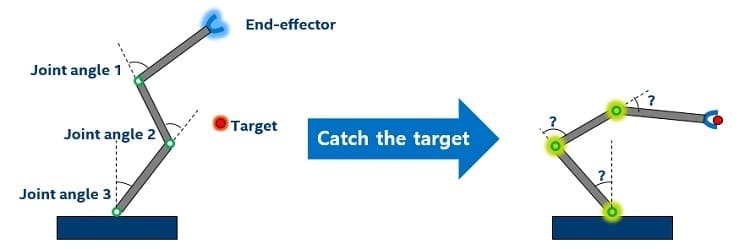
By University of TartuThe Learning Path will cover how to develop a custom Inverse Kinematics solver with Robot Operating System (ROS) and the basics of sampling-based and graphs based planners implemented in MoveIT library of ROS.
Digital learning, Path- Course Certificate
49 € -
 Beginner
Industrial robotics
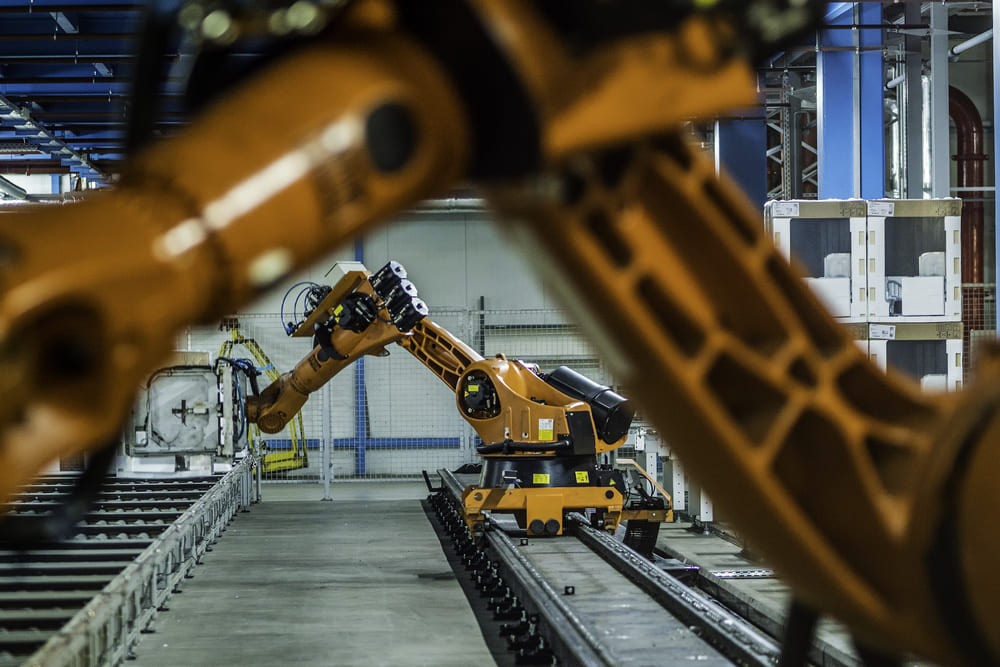
By Czech Technical UniversityThis learning path consists of following topics: 1. Basic knowledge about cobots in the matter of differnces between industrial robots and their usage in industry 2. Safety rules of cobots
Digital learning, Path- Course Certificate
49 € -
 Advanced
Autonomous mobile robotics - Multi-Agent-Control
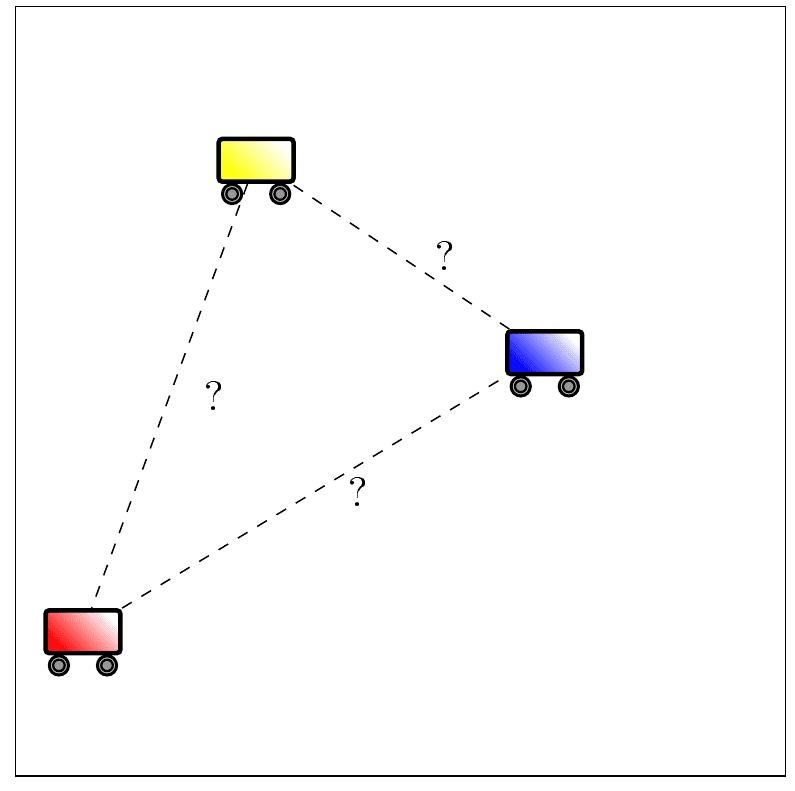
By BIBAThis Learning Path enables the learner to distinguish control architectures for a multi-agent system and classify the introduced frameworks based on ROS2 for the control of a number of mobile autonomous robots.
Digital learning, Path- Course Certificate
49 €