

Type of course:
Digital learning, Lesson
Language:
EN
Duration:
20 minutes
Proficiency:
Beginner
Target:
Pupils, Students
SUMMARY
Want to turn simple shapes into precise 3D design?
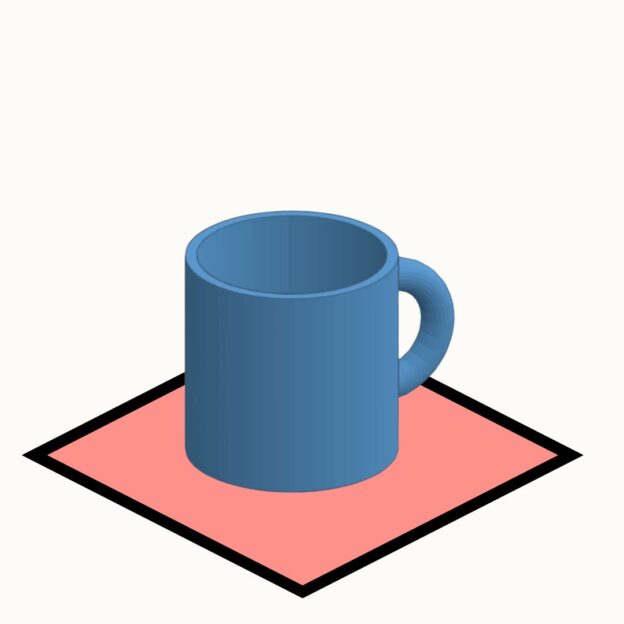
This lesson will guide you through the step-by-step process of modeling a coffee mug in Tinkercad with precision.
You’ll learn how to combine basic shapes, apply alignment, scaling, and grouping techniques, and develop a structured approach to 3D modeling. By the end of the lesson, you’ll have a well-crafted coffee mug and a strong foundation in precise modeling techniques.
To keep improving your skills, you can take on our Creative Modeling Challenge at the end! This self-paced activity will push your creativity, helping you apply what you’ve learned to new designs—without step-by-step instructions. Get ready to think like a true 3D designer! 🚀

About The Author
Linas Kesiūnas, the founder of 3D Klasė, is a 3D printing expert with a passion for sharing knowledge and inspiring creativity. With a strong academic foundation in pedagogy and printing engineering, he has a deep understanding of both the technical and educational aspects of 3D printing.
Linas has a diverse range of experience, from developing 3D printers for educational institutions in Spain to designing large-scale industrial printers in Lithuania. This hands-on expertise allows him to provide practical insights and real-world examples in the course.
Beyond technical skills, Linas is a dedicated educator who enjoys guiding learners of all ages and backgrounds. He is committed to making 3D printing accessible and empowering individuals to bring their ideas to life.
Learning outcomes
- By the end of the lesson, learners will build a proportionate 3D coffee mug model by combining and manipulating at least three basic shapes.
- Learners will use the alignment tool in Tinkercad to position and scale all components of the mug within ±1 mm of a given reference design.
- Learners will apply grouping techniques to create a hollow mug interior and correctly attach a handle, demonstrating this in a completed design.
Topics
Uncategorized
Provided by
-
LINPRA

 +57
enrolled
+57
enrolled
Course Includes
- 1 Quiz
Related
-
 Intermediate
Circularity and Information Sharing for Resilient Value Chains
By Faculty of Engineering of University of PortoThis lesson explores strategies for creating circular, sustainable value chains, emphasizing the importance of information sharing and collaboration to build resilience, particularly in critical sectors like automotive and electronics.
Digital learning, Lesson- Quiz1
-
 Intermediate
Augmenting Workers
By Faculty of Engineering of University of PortoThis lesson discusses technologies that enhance human capabilities in the workplace, such as exoskeletons and augmented reality, empowering workers to perform complex tasks more efficiently and safely.
Digital learning, Lesson- Quiz1
-
 Intermediate
Human-Robot Collaboration for Assembly/Disassembly
By Faculty of Engineering of University of PortoThis lesson examines the integration of COBOTs (collaborative robots) in industrial processes, explaining how humans and robots can safely and efficiently work together in tasks like assembly and disassembly.
Digital learning, Lesson- Quiz1
-
 Intermediate
Data Analytics for Energy Efficiency and Sustainability
By Faculty of Engineering of University of PortoThis lesson focuses on using real-time data analytics to optimize energy usage in industrial settings, reducing waste, and improving sustainability through smart energy management systems.
Digital learning, Lesson- Quiz1
-
 Intermediate
Digital Technologies Enabling Industry 5.0
By Faculty of Engineering of University of PortoThis lesson introduces key digital technologies driving Industry 5.0, such as AI, IoT, and cobotics, highlighting how they enhance efficiency, sustainability, and human-machine collaboration.
Digital learning, Lesson- Quiz1
-
 Intermediate
Introduction to Industry 5.0
By Faculty of Engineering of University of PortoThis lesson explores the evolution from Industry 4.0 to Industry 5.0, emphasizing human-centric, sustainable, and resilient manufacturing systems, where humans and advanced technologies co-create value.
Digital learning, Lesson- Quiz1
-
 Intermediate
Industry 5.0: Transition to Sustainable, Human-Centric and Resilient Manufacturing
By Faculty of Engineering of University of PortoThis course explores the evolution from Industry 4.0 to Industry 5.0, highlighting the shift towards sustainable, human-centric, and resilient manufacturing practices. Learners will gain a comprehensive understanding of Industry 5.0 fundamentals, focusing on its core principles and distinct differences from previous industrial revolutions. The course delves into the integration of advanced digital technologies, such as real-time data analytics and automation, to enhance energy efficiency and operational sustainability in industrial settings. Participants will learn to identify inefficiencies and propose value-driven improvements. Additionally, the course covers the application of human-robot collaborative systems, emphasizing intelligent collaborative cells that facilitate safe and efficient human-robot interaction, thereby contributing to enhanced resilience in manufacturing processes.
Digital learning, Path- Course Certificate
49 € -
 Intermediate
Augmented Reality Application Development for Equipment Health Monitoring
By Laboratory for Manufacturing Systems and Automation of Patras - Laboratory for Manufacturing Systems and Automation of PatrasThis lesson teaches learners how to design Augmented Reality (AR) applications for monitoring equipment health. They will learn to formulate microservices for AR-based monitoring, create data monitoring and visualization workflows, and develop AR modules that provide real-time monitoring of equipment performance.
Digital learning, Lesson -
 Intermediate
Introduction to MQTT
By Beia Consult InternationalMessage Queuing Telemetry Transport (MQTT) is a lightweight messaging protocol for Internet of Things (IoT), using a publish/subscribe model for efficient, real-time communication. Common uses include smart homes, industrial automation, and environmental monitoring.
Digital learning, Lesson- Quiz1
-
 Intermediate
Introduction to Time Series Databases
By Beia Consult InternationalTime Series Databases (TSDBs) efficiently store and retrieve time-stamped data for applications like IoT, monitoring, and finance. They come in SQL-based (e.g., MySQL, PostgreSQL) for structured queries and NoSQL-based (e.g., InfluxDB, MongoDB) for scalability and high-velocity data handling. The choice depends on data volume, query complexity, and scalability needs.
Digital learning, Lesson- Quiz1